SEO Wins

Free SEO tools for site owners

Free Website SEO Checker

Audit a page, find technical and on-page SEO issues, and plan your next content update with tools that explain what they check.

Free, no account One page at a time Clear next steps

Start with a page audit

Check the HTML a search crawler can fetch. Add a search phrase for an on-page review.

No sign-up

The score is a SEOWins checklist aid, not a Google ranking score. No audit can promise a ranking.

Inside a page audit

Checks that lead to practical fixes

No mystery ranking score

What the audit checks

On-page
Title, meta description, headings, canonical, Open Graph, target keyword placement
Content
Word count, readability, frequent terms and phrases, thin or duplicate wording
Technical
Status codes, redirects, HTTPS, robots.txt, sitemap, response time, page weight
Structured data
JSON-LD, Microdata and RDFa, with required-field checks
AI search
Page-source structure, author and date fields, crawler access, optional llms.txt detection
Extras
Images, links, social tags, conversion signals, local SEO, e-commerce, tech stack

Bulk URL Checker

Check up to 50 pages at once for status, redirects, speed, title, description, H1, indexability and score.

Redirect Checker

Trace every hop a URL goes through, with status codes. Useful for site migrations and HTTPS or www setup.

Robots.txt Tester for Google and AI Crawlers

See whether Google, Bing and AI crawlers can access a URL, and which rule decides it. Edit the rules to test changes before you publish them.

Results for /
Enter a URL to test.

Security Headers Checker

Grade a site's HTTP security headers, see every response header, and list subdomains found in public certificate logs.

View Page Source

View a page's raw HTML as search engines receive it, plus every stylesheet, script, image and font it loads.

Domain Age & WHOIS Lookup

WHOIS registration, domain age, DNS records, SSL certificate, email security and Wayback Machine history.

Search Console Regex Builder

Build regex filters for the Queries and Pages reports in Google Search Console, then paste them into Filter → Custom (regex).

Presets
Regex


AI Content Brief Generator

Enter a keyword to get a writing brief: search intent, titles, an outline, FAQs, related terms and suggestions for clear content structure. Built from real Google searches.

AI SEO Assistant

Ask about SEO, content or AI search. Run an audit first and the assistant can answer questions about that page.

Suggestions

AI can make mistakes. Check important advice before acting on it.

Keyword Research Tool by Country

Explore country-specific Google Autocomplete suggestions, questions and A–Z variations. Suggestions are not search-volume estimates.

Already have a list? Analyze and group your keyword phrases.

Free · browser-based

SEO Keyword Analysis Tool

A free web page keyword analyzer: analyze the keywords on any web page, or turn a raw keyword list into a clearer content plan. Group related phrases, spot exact duplicates and review likely search intent before choosing which page to improve.

Your list is analyzed in this browser. SEOWins does not send it to a server. If you import from a URL, our server fetches that public page, as the site audit does. This tool does not estimate search volume or keyword difficulty.

Pulls phrases from the page title, headings and most repeated words into the list below.

Start with phrases from the Keyword Ideas tool or your own research. Choose a target country there to see local Google Autocomplete wording.

AI Search Insights

Review Search Console and Bing reports, then map their query or topic rows to any pages included in the files.

This tool reads CSV files in your browser. Your files are not uploaded to SEOWins. Google AI-feature metrics, Google web-search metrics and Bing AI citations are shown separately because they measure different things.

Import a report

Choose one report type. Importing replaces the previous rows for that source and leaves other sources as they are.

Export a CSV from the Search Console Generative AI performance report. Page-level files are supported; query details are not assumed if the export does not include them.

When importing multiple files for the same report, use non-overlapping date ranges. Overlapping exports can inflate totals.

No reports imported

Export a CSV from Google Search Console or Bing Webmaster Tools and import it above. The SEO Opportunities tab can review real query impressions and average positions from a Google Web search query export.

A new property may not have report data yet. Wait for actual data; SEOWins will not fill in estimated visibility or rankings.

AI Citation Tracker

Log what you observe when you run the same prompts on AI search platforms. Review linked citations, unlinked mentions and changes over time.

This is a manual sample log, not an AI rank checker. Answers vary by time, location and account; your entries show only the checks you recorded. Entries stay in this browser and are not uploaded.

Log an observation

Use a consistent prompt when you compare results. A linked citation means the answer included a clickable source to your tracked site.

Stored on this device only · Up to 500 observations

No observations yet

Run a prompt on an AI search platform, then log whether your tracked site was linked, mentioned, or not found. Recheck the same prompts later to compare your own sample.

Schema Markup Generator

Create JSON-LD structured data with the form, or generate it from an existing page with AI. Paste the result into your page's <head>.

Generate from a page

JSON-LD


Search Result Preview

Draft a page title and description, then compare an approximate search-result layout on desktop and mobile.

    This is an approximate preview. Google may show different text for different searches.

    AI Crawler Checker

    Test what GPTBot, ClaudeBot, PerplexityBot and other crawlers receive from a page. Compare robots.txt rules with a live request for each one.

    AI Citability Checker

    Split a page into passages and see which ones can stand on their own. Get a clear fix for each weak section. This is an editing aid, not a citation prediction.

    Query Fan-Out Coverage Tool

    Estimate the related searches behind a question, then check which ones your page covers. The searches are AI estimates, not data from Google or ChatGPT.

    llms.txt Generator and Validator

    Create a draft from your sitemap, edit it, then check the format and every link. You can also paste a file or load the one on your live site.

    AI Bot Log Analyzer

    See which AI bots visit your site, what they request and which errors they hit. Your log is read in this browser and is never uploaded.

    Query Fan-Out Explained: What It Means for SEO

    How AI search turns one question into many searches, and how to check your page for gaps.

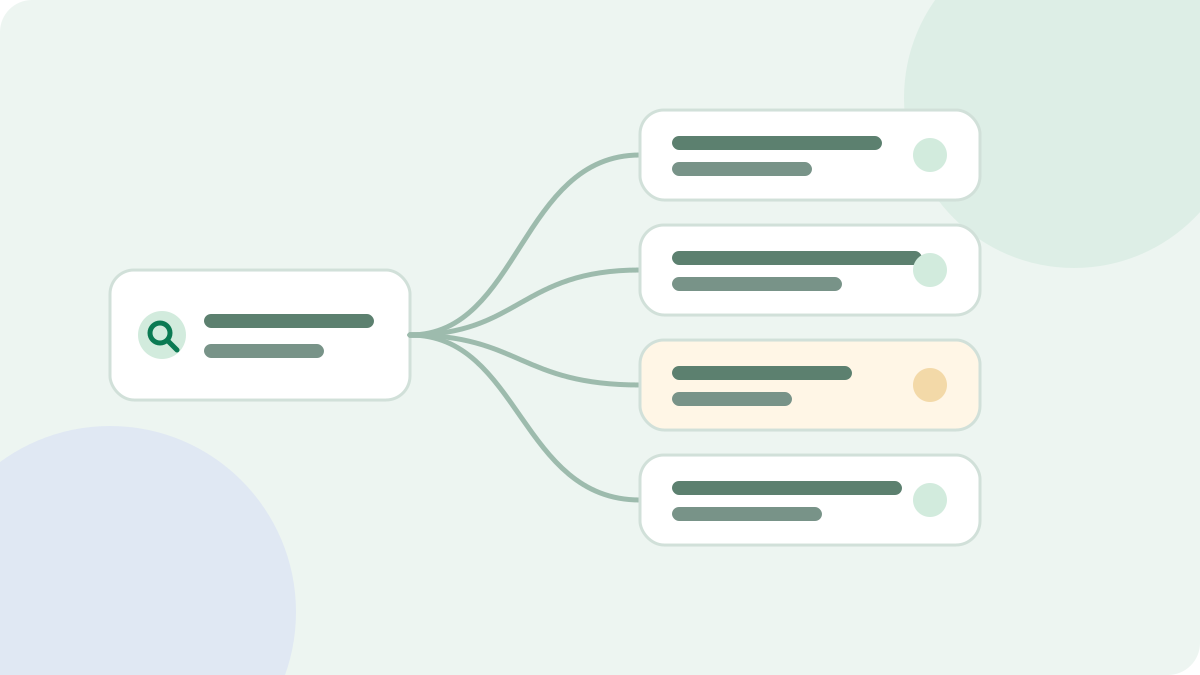
    Illustration of one question branching into several related searches that lead to page sections.

    Query fan-out is when an AI search system takes one question, runs several related searches across subtopics, and combines the results into a single answer. For publishers, it means a page may be found for a sub-question its owner never targeted.

    Try it: the query fan-out tool estimates related searches for a question, then compares them with your page to show covered, partly covered and missing angles.

    What is query fan-out?

    Google's documentation says AI Overviews and AI Mode may use a query fan-out technique, issuing multiple related searches across subtopics and data sources. Google says this helps it show a wider and more diverse set of links than a classic search might.

    Here is a simple example. Someone asks:

    "Is a standing desk worth it for working from home?"

    An AI system might look for several things to answer that well:

    • Health effects of standing at work
    • Standing desk prices
    • Electric and manual desks compared
    • How long to stand each day
    • Cheaper alternatives such as desk converters

    These examples are illustrative. Google doesn't publish the searches it runs for an answer, and they can vary.

    Why it matters for SEO

    Traditional keyword work starts with one phrase and one page. Fan-out shifts attention to the whole question behind that phrase. Three things follow from that.

    Sections matter. A clear section on desk converters could be useful for a sub-question, even if the page mainly targets another phrase.

    Thin coverage shows. A page that only repeats the main keyword has little to offer for the related questions around it.

    Normal search still counts. Google says there are no extra technical requirements for its AI features. Pages need to be indexed and eligible to show a snippet. Fan-out does not replace SEO basics, and it gives them another way to pay off.

    How to find the likely sub-questions

    You can't see the real searches, but you can make a useful estimate by combining sources:

    1. Search Console. Look at the queries your page already appears for, especially the ones you did not target. The Search Console opportunities guide shows how.
    2. Autocomplete. Keyword Ideas pulls related searches and question forms from Google suggestions.
    3. Search results. Note People Also Ask questions and the angles covered by top pages.
    4. Your customers. Support tickets and sales calls show the questions people really ask.
    5. AI estimates. Ask a model to break the question into angles, and treat the output as a brainstorm.

    A practical coverage check

    Once you have a list, compare it with your page. Sort each sub-question into one of three groups.

    StatusWhat it meansWhat to do
    CoveredA section answers it directlyCheck that the answer comes first and the heading is clear
    Partly coveredThe page mentions it without answering itExpand that passage or give it its own heading
    MissingThe page says nothing about itAdd a section, link to another page, or leave it out

    That last choice matters. Not every gap should be filled.

    Add a section, make a new page, or skip it?

    • Add a section if the same reader needs that answer to finish the same task.
    • Make a new page if the angle has a different purpose, or needs far more depth. Link the two pages together.
    • Skip it if it does not suit your audience, or you cannot say anything useful about it.

    Stuffing every possible angle into one page makes it worse for people. The keyword mapping guide can help you assign each topic to the right URL.

    Write sections that work on their own

    A sub-question may match one section, not your whole page. So write each section to make sense without the others:

    • Use a heading that names the topic, often as a question.
    • Answer in the first sentence or two.
    • Name the subject instead of writing "it" or "this".
    • Add evidence, examples and limits after the answer.

    The AI Citability Checker tests these habits passage by passage. It is an editing aid and can't predict citations, because no public tool can.

    What not to do

    Don't publish a page for every possible sub-question. Google's spam policies cover scaled content made mainly to manipulate rankings, and a pile of near-identical pages does not help readers anyway. Be wary of any tool that claims to show the exact fan-out for a query. These are estimates, including ours.

    Use fan-out as a prompt to ask a better question: what else does this reader need to know before they can decide?